
A domicile certificate is an important government document that confirms a person’s permanent residence in a particular province, district, or region. It is commonly required for education admissions, government jobs, scholarships, quotas, and other official purposes. With digital government services expanding, many applicants can now start or complete the domicile registration process online.
This Domicile Certificate Online Registration Guide explains the general application process, required documents, eligibility requirements, fees, verification, and common mistakes. Procedures can vary by province or district, so applicants should always check their relevant government portal for the latest requirements.
Read More: Caste Certificate Application Process Step by Step
What Is a Domicile Certificate?
A domicile certificate is an official document that verifies an individual’s permanent residence in a specific administrative area. It helps government departments determine whether a person belongs to a particular district or province.
The certificate may be requested during university admissions, recruitment for government positions, scholarship applications, and applications made under regional quotas.
Who Can Apply for a Domicile Certificate?
Generally, a person who has permanent residence in a specific district or province can apply for a domicile certificate. Eligibility requirements may differ depending on local government rules.
Applicants may need to demonstrate their permanent address through identity documents, family records, utility bills, property documents, or other accepted proof of residence. Parents or legal guardians may also need to provide supporting documents when applying for a minor.
Domicile Certificate Online Registration Process
The online registration process depends on the province and district. However, the basic procedure usually follows a similar pattern.
Visit the Official Government Portal
Start by visiting the official website or online citizen service portal responsible for domicile certificates in your area. Avoid unofficial websites that request unnecessary personal information or payments.
Create an account if registration is required. Use accurate personal information because incorrect details can cause delays during verification.
Complete the Online Application Form
Log in to your account and select the domicile certificate application option. Enter information such as:
- Full name
- CNIC or identification number
- Date of birth
- Father’s or guardian’s name
- Permanent address
- District and province
- Contact information
Review every field carefully before submitting the application.
Upload Required Documents
Applicants generally need to upload scanned copies or clear photographs of supporting documents. Requirements vary by location, but commonly requested documents include:
- CNIC or B-Form
- Father’s or mother’s CNIC
- Passport-size photographs
- Proof of permanent residence
- Educational documents, where applicable
- Utility bill or property document
- Affidavit or other supporting declaration, where required
Make sure documents are readable and meet the portal’s file-size and format requirements.
Pay the Applicable Fee
Some authorities charge an application or processing fee. If an online payment option is available, pay through the approved payment method and keep the receipt or transaction reference. Never send payments to unofficial individuals or websites.
Submit the Application
After entering the information, uploading documents, and paying the required fee, submit the application. Save the application number, tracking ID, or receipt. This information can help you check the status of your application later.
Domicile Certificate Verification
After submission, the relevant authority reviews the application and supporting documents. Verification may involve checking your identity, permanent address, family information, and previous domicile records.
In some cases, applicants may be contacted for additional documents or physical verification. Providing accurate information can help avoid unnecessary delays.
How to Check Domicile Application Status Online
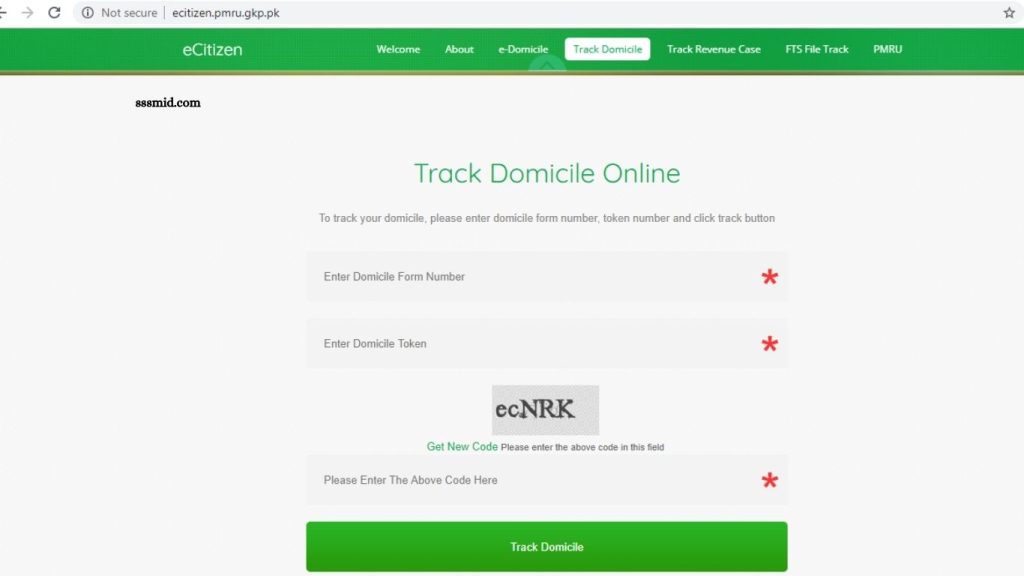
Many digital government portals provide an application-tracking feature. Applicants can usually check their status using an application number, CNIC number, tracking ID, or registered mobile number.
Common status messages may indicate that an application is:
- Submitted
- Under verification
- Pending documents
- Approved
- Rejected
- Ready for collection
If an application remains pending for an unusually long period, contact the relevant government office or support service.
Documents Required for Domicile Registration
Document requirements vary by province, district, age, and individual circumstances. Before submitting an application, verify the latest list provided by your local authority.
A typical application may require proof of identity, proof of residence, photographs, and documents establishing the applicant’s relationship with parents or guardians. Applicants should ensure that names, dates of birth, CNIC numbers, and addresses are consistent across all documents.
Benefits of a Domicile Certificate
A domicile certificate can be useful for several official purposes. It may be required when applying for:
Government Jobs
Government departments may require domicile documents when recruiting candidates against district or provincial quotas.
Educational Admissions
Universities and colleges may request domicile certificates for admission seats reserved for specific regions.
Scholarships
Some scholarships use domicile or regional eligibility criteria, making the certificate an important supporting document.
Regional Quotas
Domicile documents can establish eligibility for seats, positions, or benefits allocated to residents of specific districts or provinces.
Common Reasons for Domicile Application Rejection
Applications may be delayed or rejected because of incomplete information, incorrect documents, unclear scans, address discrepancies, or failure to meet eligibility requirements.
Common problems include submitting an expired identification document, entering an incorrect CNIC number, uploading unreadable files, or providing an address that conflicts with official records. Always review the application before final submission.
How Long Does Online Domicile Registration Take?
Processing time depends on the relevant authority, verification requirements, application volume, and whether additional documentation is required.
Some applications may be processed quickly, while others can take longer when physical verification or additional checks are necessary. The application portal or local government office can provide the most accurate processing timeline.
Domicile Certificate Online Registration: Important Tips
Keep digital copies of all submitted documents and payment receipts. Use only official government portals when submitting personal information. Before applying, verify the eligibility criteria, document requirements,
Processing fee, and application procedure applicable to your district. Use the same spelling of your name and address across official documents whenever possible. Carefully check all information before submitting the form.
Frequently Asked Questions
Can I apply for a domicile certificate online?
In many areas, applicants can submit domicile applications through an online government portal. Availability depends on the relevant province or district.
What documents are needed for a domicile certificate?
Common requirements include CNIC or B-Form, photographs, proof of residence, parents’ documents, and other supporting records.
Can I track my domicile application online?
Many government portals provide online tracking using an application number, CNIC, or tracking ID.
Is a domicile certificate required for government jobs?
Many government jobs require domicile to establish eligibility under district or provincial quotas.
Is domicile required for university admission?
Some educational institutions require domicile certificates for regional or quota-based admissions.
What should I do if my application is rejected?
Check the rejection reason, correct the required information or documents, and contact the relevant authority if clarification is needed.
Conclusion
The Domicile Certificate Online Registration Guide makes the application process easier to understand for applicants who need proof of permanent residence. The process generally involves completing an online form, providing identity and residence documents, paying the applicable fee, and completing official verification. Because domicile procedures can differ between provinces and districts, always confirm the latest requirements through the official government portal or relevant local authority before submitting an application.
Pingback: Birth Certificate Download Process Explained - Sssmid