
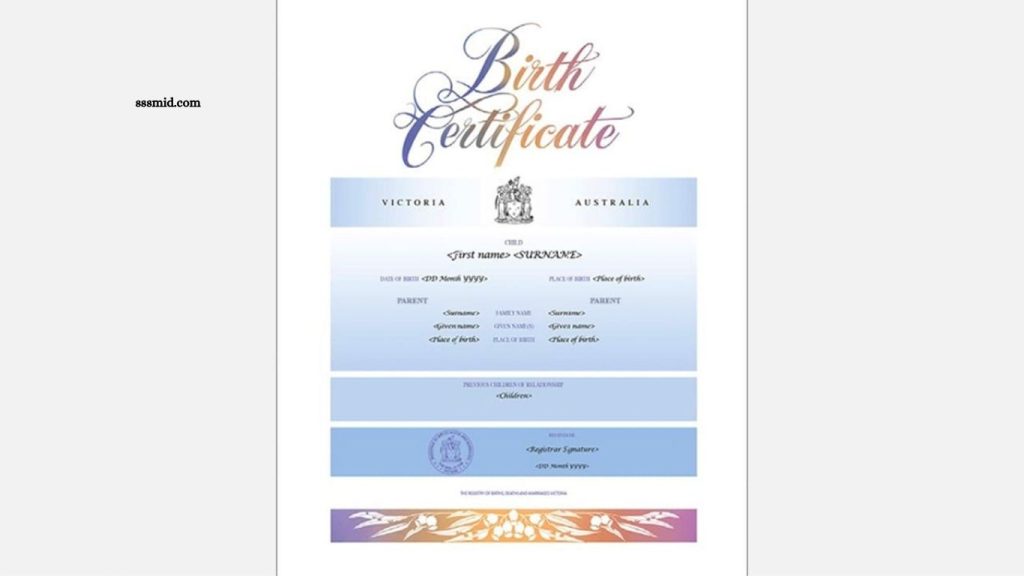
Getting a birth certificate online has become easier as many government authorities now provide digital services. Instead of visiting an office repeatedly, eligible applicants can submit details, verify information, and download a digital copy through the official registration portal.
The exact birth certificate download process depends on the country, state, province, or local registration authority. Applicants generally need registration details, personal information, and access to the mobile number or other details linked with the birth record.
Read More: Domicile Certificate Online Registration Guide
What Is a Birth Certificate?
A birth certificate is an official document that records a person’s birth. It generally contains important information such as the person’s name, date of birth, place of birth, gender, and parents’ names.
The document is commonly required for school admission, passport applications, government services, identity verification, inheritance matters, and other official procedures.
Birth Certificate Download Process
The online process usually involves a few straightforward steps. Since different government portals use different layouts, the names of buttons and sections may vary.
Visit the Official Birth Registration Portal
Start by visiting the official website of the relevant government department or local authority. Use only an official government portal to protect personal information and avoid fraudulent websites. Look for options such as Birth Certificate, Birth Registration, Certificate Download, or Download Certificate.
Select the Certificate Download Option
After opening the relevant service, select the option for downloading or obtaining a birth certificate. Some portals may require users to log in before accessing certificate services. If an account is required, enter the registered mobile number, email address, username, or other requested credentials.
Enter Birth Registration Details
Provide the information requested by the portal. Depending on the system, applicants may need details such as the registration number, date of birth, district, municipality, parents’ names, or other identifying information. Enter the details carefully because incorrect information can prevent the system from locating the record.
Complete Verification
Many online government services use OTP verification or another authentication method. If an OTP is sent to the registered mobile number, enter it in the appropriate field. Some portals may use additional verification information before allowing access to the certificate.
Check the Birth Record
Once the record appears, carefully check the displayed information. Confirm the spelling of the name, date of birth, place of birth, parents’ names, and registration details. If the information is incorrect, avoid downloading the certificate until the issue has been addressed through the appropriate authority.
Download the Birth Certificate
After successful verification, select the Download, Generate Certificate, or similar option. The certificate may open as a PDF file. Save the document securely on your phone or computer and keep a backup for future requirements.
Documents and Details Usually Required
The exact requirements vary by registration authority. Applicants may commonly need:
- Birth registration number
- Date of birth
- Name of the person
- Parents’ names
- Place of birth
- Registered mobile number
- Applicant identification details
- OTP or other verification information
For older records, additional information may be required if the birth record has not been digitized.
How to Download a Birth Certificate Without a Registration Number
Downloading a certificate without a registration number may be possible through some government portals, although the available search options differ.
Certain systems allow users to search records using details such as the person’s name, date of birth, parents’ names, district, municipality, or hospital information. Other portals may require the registration number. If online search does not locate the record, contacting the local birth registration authority may be necessary.
What to Do If the Birth Certificate Is Not Available Online
Older birth records may not appear in an online database. This can happen when historical records have not yet been digitized or transferred to the current registration system.
In such cases, contact the municipal office, local registrar, hospital registration department, or relevant government authority. Officials can explain whether the record can be digitized or whether a certified copy must be requested through an offline process.
How to Correct Information on a Birth Certificate
Errors in names, dates, locations, or parents’ details should be corrected through the authorized birth registration authority. The correction process can require supporting documents and an application explaining the error. Avoid modifying a downloaded PDF manually because an edited document may not be accepted as an official certificate.
Is an Online Birth Certificate Valid?
A digitally downloaded birth certificate can be valid when it is issued through an authorized government system. Some certificates include a digital signature, QR code, verification number, or other security feature that allows organizations to confirm their authenticity. Before submitting a digital certificate, check the requirements of the organization requesting it.
Tips for Safe Birth Certificate Download
Always use the official government website when accessing birth registration services. Avoid unknown websites that request unnecessary personal information or payment details.
Keep the downloaded certificate in a secure location and maintain a backup copy. Do not share sensitive registration information publicly. If a portal asks for payment, verify that the charge belongs to an official government service before completing the transaction.
Common Reasons for Download Problems
Several issues can prevent a birth certificate from being downloaded. Incorrect registration information is one of the most common causes. Other possibilities include outdated records, server problems, incomplete digitization, incorrect OTP details, or differences between the entered information and the official record.
Trying again later can resolve temporary technical problems. Persistent issues should be reported to the relevant registration authority.
Frequently Asked Questions
Can I download a birth certificate online?
Yes, if your birth record is available on the official government portal, you can usually download a digital copy online.
What details are needed to download a birth certificate?
You may need the registration number, date of birth, name, parents’ names, and registered mobile number.
Can I download a birth certificate without a registration number?
Some portals allow searches using personal and birth details, while others require the registration number.
Is a downloaded birth certificate valid?
Yes, a certificate issued through an authorized government portal can be legally valid, depending on local regulations.
What should I do if my birth record is not found?
Contact the relevant birth registration authority to check whether the record needs digitization or correction.
Can I correct mistakes on a birth certificate online?
Some authorities provide online correction services, while others require an application and supporting documents through the local registrar.
Conclusion
The birth certificate download process is generally simple when the birth record is already available in the relevant online government database. Applicants usually need to access the official portal, provide registration details, complete verification, check the record, and download the certificate. Because procedures vary between jurisdictions, always follow the instructions provided by the official birth registration authority.
Pingback: Death Certificate Online Application Guide - Sssmid