
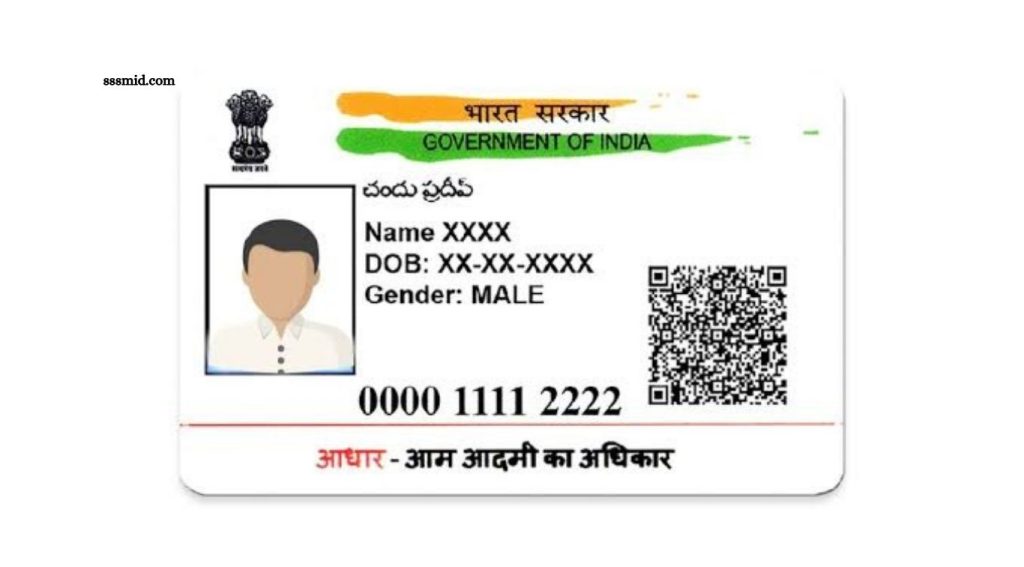
Downloading an Aadhaar Card online has become a simple and convenient process through the official UIDAI website. Aadhaar holders can download an electronic version of their Aadhaar, known as e-Aadhaar, using their Aadhaar number, Enrolment ID, or Virtual ID.
The downloaded document is digitally signed by UIDAI and can be used as a valid form of identification in many situations. This guide explains how to download Aadhaar Card online, the information required, the complete process, and important points to remember while accessing your e-Aadhaar.
Read More: Required Documents for Online Certificate Applications
What Is an e-Aadhaar Card?
e-Aadhaar is a digital copy of your Aadhaar Card issued by the Unique Identification Authority of India (UIDAI). It contains important details such as your name, Aadhaar number, date of birth, gender, address, and photograph.
The electronic Aadhaar document is password-protected for security. You can download and save it on your phone, computer, or other secure device.
How to Download Aadhaar Card Online
You can download your Aadhaar Card online through the official UIDAI portal. Follow these steps:
Visit the UIDAI Website
Open the official UIDAI website and access the Aadhaar download service. Always use the official UIDAI platform when entering your Aadhaar information.
Select the Download Aadhaar Option
Choose the option for downloading Aadhaar. You will normally need to select an identification method, such as your Aadhaar Number, Enrolment ID, or Virtual ID.
Enter Your Aadhaar Details
Enter the required information carefully. Depending on the selected option, you may need to provide your Aadhaar number or other identification details along with the security verification.
Request an OTP
Click the option to request an OTP. UIDAI will send a verification code to the mobile number registered with your Aadhaar.
Verify Your Identity
Enter the OTP received on your registered mobile number. Complete the verification process to continue with the download.
Download the e-Aadhaar
After successful verification, your e-Aadhaar PDF can be downloaded. Save the file in a secure location for future use.
How to Open the Downloaded Aadhaar PDF
The downloaded e-Aadhaar PDF is password-protected. The password generally follows a specific format based on the first four letters of your name as printed on Aadhaar and your year of birth.
For example, if the Aadhaar name is RAHUL KUMAR and the year of birth is 1995, the password format would be:
RAHU1995
Use the name exactly as printed on your Aadhaar document.
Can You Download Aadhaar Without a Registered Mobile Number?
OTP-based online Aadhaar downloads require access to the mobile number registered with Aadhaar. If your mobile number is not registered or you no longer have access to it, you may need to visit an Aadhaar Seva Kendra or an authorized Aadhaar enrolment/update centre for assistance. Keeping your registered mobile number updated helps make online Aadhaar services easier to access.
How to Download Aadhaar Using an Enrolment ID
If you do not have your Aadhaar number available, you may be able to use your Enrolment ID to retrieve your e-Aadhaar. Enter the required Enrolment ID details on the UIDAI Aadhaar download service and complete OTP verification using your registered mobile number. Once verification is successful, you can download your electronic Aadhaar.
How to Download Aadhaar Using VID
A Virtual ID, or VID, is a temporary, revocable 16-digit number associated with an Aadhaar number. Where supported by UIDAI’s current services, it can be used instead of directly sharing your Aadhaar number. Enter your VID and other requested information, complete OTP verification, and download your e-Aadhaar.
Is Downloaded e-Aadhaar Valid?
Yes. e-Aadhaar is digitally signed by UIDAI and is generally considered an electronic equivalent of the physical Aadhaar letter. You can use it for various identity verification purposes where Aadhaar is accepted. For specific services, however, the organization may have its own document requirements.
Benefits of Downloading Aadhaar Online
Online Aadhaar download offers several useful benefits. You do not need to wait for a physical copy to access your Aadhaar information. The electronic document can be stored securely on your smartphone or computer and printed whenever required.
It also makes Aadhaar easily accessible when you need it for identity verification, government services, financial services, travel-related requirements, or other permitted purposes.
Important Safety Tips
Always download Aadhaar through the official UIDAI website or authorized UIDAI services. Avoid entering your Aadhaar number, OTP, or other personal information on unknown websites.
Never share an OTP with another person. Keep your downloaded Aadhaar PDF protected and avoid sending your Aadhaar information through unsecured platforms.
When an organization only needs Aadhaar authentication or a limited form of identification, consider using the appropriate UIDAI-supported service instead of unnecessarily sharing your full Aadhaar details.
Frequently Asked Questions
Can I download my Aadhaar Card online?
Yes. You can download e-Aadhaar online through UIDAI after completing the required verification process.
Is e-Aadhaar free to download?
UIDAI provides online e-Aadhaar download services through its official platform. Check the current UIDAI portal for applicable service details.
What do I need to download Aadhaar online?
You generally need your Aadhaar-related identification details and access to the mobile number registered with Aadhaar for OTP verification.
Can I download Aadhaar using my Enrolment ID?
Yes, UIDAI provides options that can allow Aadhaar retrieval using an Enrolment ID, subject to the currently available service.
What is the Aadhaar PDF password?
The e-Aadhaar PDF password generally consists of the first four letters of the Aadhaar holder’s name in capital letters followed by the year of birth.
Is e-Aadhaar accepted as an identity document?
Yes. e-Aadhaar is a digitally signed electronic Aadhaar document issued by UIDAI and can be used where Aadhaar is accepted.
Conclusion
Knowing how to download Aadhaar Card online can save time and provide quick access to your identity document. Through UIDAI’s online services, Aadhaar holders can download e-Aadhaar using available identification options and OTP verification. Always use official UIDAI services, protect your OTP and Aadhaar details, and store the downloaded document securely.
Pingback: PAN Card Correction Process Explained - Sssmid